Block distracting sites. No account, no tracking.

A quiet site blocker for Chrome. Your list stays on your computer. Set a weekly focus schedule and close the loopholes other blockers leave open.

Chrome Web Store listing coming soon. Free plan blocks up to 10 sites.

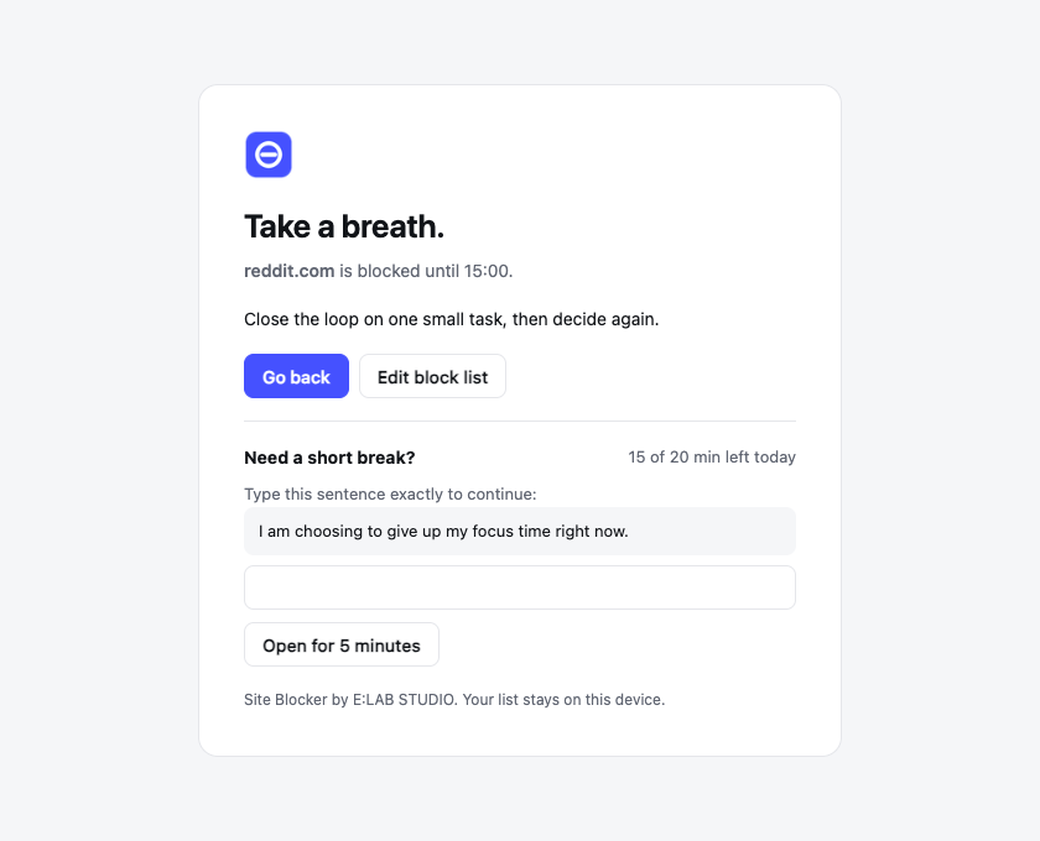
The Site Blocker block page: Take a breath. reddit.com is blocked until 12:30.

Built for people who want their time back

Blocking works through Chrome's own rule engine. Fast, local and private.

01

No account. Ever.

Install and start blocking. There is no sign-up, no email, no cloud sync. Your list is stored in Chrome on this computer.

02

Closes the usual loopholes

Strict mode blocks m. and old. subdomains, Google image and search redirect links that point to a blocked site, and the site inside embedded frames.

03

A schedule that fits your week

Block from 9 to 12:30 and 13:30 to 18 on weekdays, late nights on Saturday, nothing on Sunday. Each day gets its own hours.

04

Breaks with friction

Need a minute? Type a sentence you wrote yourself, take a short break, and stop when the daily limit is used up.

05

Keywords too

Block any address that contains a word, like shorts or reels, without blocking the whole site.

06

Honest by design

No tricks to stop you from removing the extension and no remote code. It is a tool for your own focus, not spyware.

Free and Pro

The free plan is a complete blocker. Pro adds the tools for harder habits.

FeatureFreePro
Block sites (www. included)Up to 10Unlimited
Calm block pageYesYes
No account, data stays on your deviceYesYes
Weekly focus schedule by day and hourNoYes
Daily time limit for breaksNoYes
Type a sentence before unlockingNoYes
Keyword blocking (words in the address)NoYes
Strict mode: subdomains, Google image and redirect links, embedded framesNoYes
Export and import settingsNoYes

Simple pricing

Pay once. No subscription, no account.

Free

$0
  • Up to 10 sites
  • Calm block page
  • No account, local only
Add to Chrome

Pro, lifetime

$19 one-time, launch price
  • Unlimited sites and keywords
  • Weekly schedule and daily limit
  • Unlock sentence, strict mode
  • Export and import
Buy Pro

Secure checkout by Dodo Payments, Merchant of Record. Taxes may apply by country. 14-day refund.

Questions

Do I need an account?

No. There is no account and no sign-up. When you buy Pro you receive a license key by email from Dodo Payments and paste it into the extension.

What data do you collect?

None. Your block list, schedule and settings stay in Chrome storage on your computer. The extension only talks to the internet to check your license key with Dodo Payments, and that request contains the key and nothing else.

Why does it ask to read and change data on all websites?

Chrome shows this for any extension that redirects a blocked page to its own block screen. The extension never reads page content. It uses Chrome's declarativeNetRequest rules, which Chrome applies without giving the extension your browsing history.

Can I stop myself from uninstalling it?

No, and we will not pretend otherwise. Anyone can remove or disable an extension from chrome://extensions. Site Blocker adds friction to impulsive unblocking, which is what most people need.

Does it work in Incognito?

Only if you allow it. Open chrome://extensions, choose Details on Site Blocker and turn on Allow in Incognito.

What happens to tabs that are already open?

Rules apply to the next page load. Reload an open tab, or it will be blocked the next time you navigate.

Is Pro a subscription?

No. Pro is a one-time payment and works for the life of the product on your browsers, within the activation limit of your key.

Can I get a refund?

Yes. Ask within 14 days of purchase and you get a full refund. See the refund policy.